1. Introduction
As part of my 4th-year academic project (“Projet Truitteur”), I was involved in setting up a complete infrastructure on AWS, including a Production environment and a CI/CD chain.
Once the infrastructure was functional, and already secured with a WireGuard VPN for remote access (with only ports 80, 443, and 51820 exposed to the internet, as the “Truitteur” page needed to be accessible and WireGuard functional), and SSH keys used in addition to passwords for robust security, the question of monitoring arose. We needed visibility into the security of our servers, but without exposing an additional administration interface to the Internet.
I therefore opted for the deployment of the Wazuh solution (SIEM/XDR), securing it behind a WireGuard virtual private network. Here is how this architecture was implemented.
2. The Target Architecture
The objective was to create an “overlay” network: a virtual private network superimposed on our cloud infrastructure.
- The Manager: A dedicated server (AWS t3.medium instance) hosting Wazuh via Docker.
- The Agents: The Production server and the CI/CD server.
- The Link: An encrypted WireGuard tunnel (10.8.0.x).
The advantage of this method is that the monitoring server does not open any management port to the public web. The agents only communicate with it through the VPN tunnel.
3. Secure Network Configuration (WireGuard)
The first step was to establish the secure link, though a WireGuard VPN was already integral to our infrastructure for secure remote access. This existing VPN, coupled with strict SSH key authentication for all machine access, formed the bedrock of our security. WireGuard was chosen for its lightness, ease of integration under Linux, and its proven capability to extend this secure network for the SIEM, further minimizing exposure. On each machine, I generated a pair of keys (public/private) to authenticate the peers.
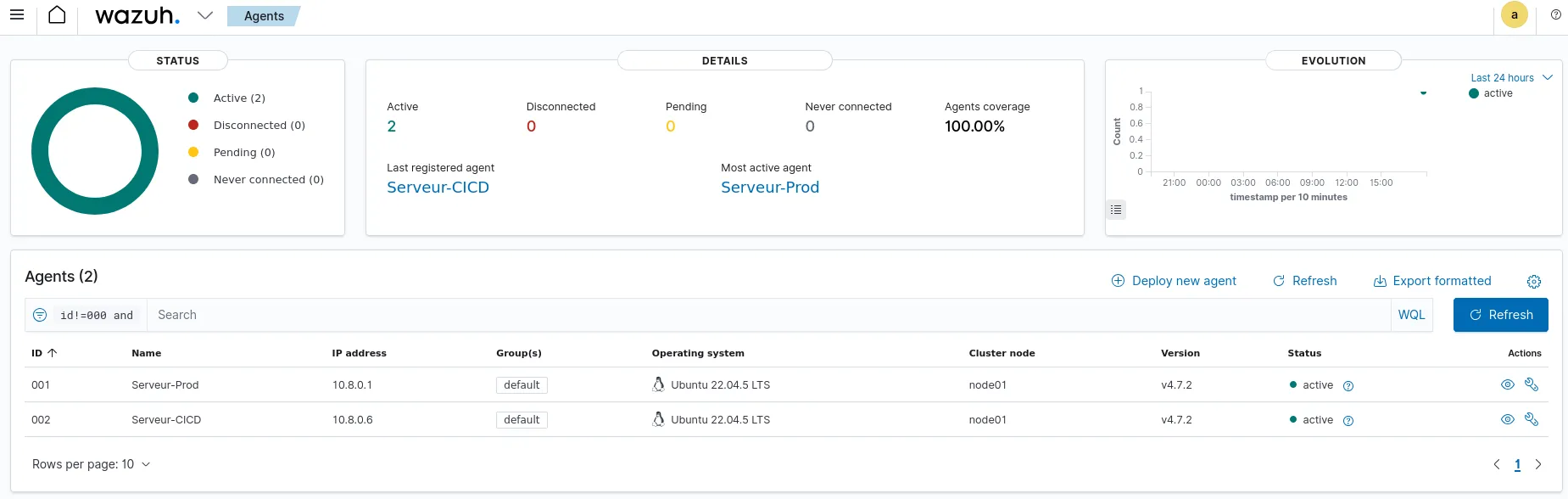
The Wazuh server was configured with the virtual IP 10.8.0.7, while the clients (Prod and CI/CD) received the IPs 10.8.0.1 and 10.8.0.6. Once the service was launched, the machines could “ping” each other via this private network, regardless of the public AWS security rules.
4. Deployment of Wazuh Agents
Once the tunnel was operational, I was able to proceed with the installation of the Wazuh agents on our critical servers.
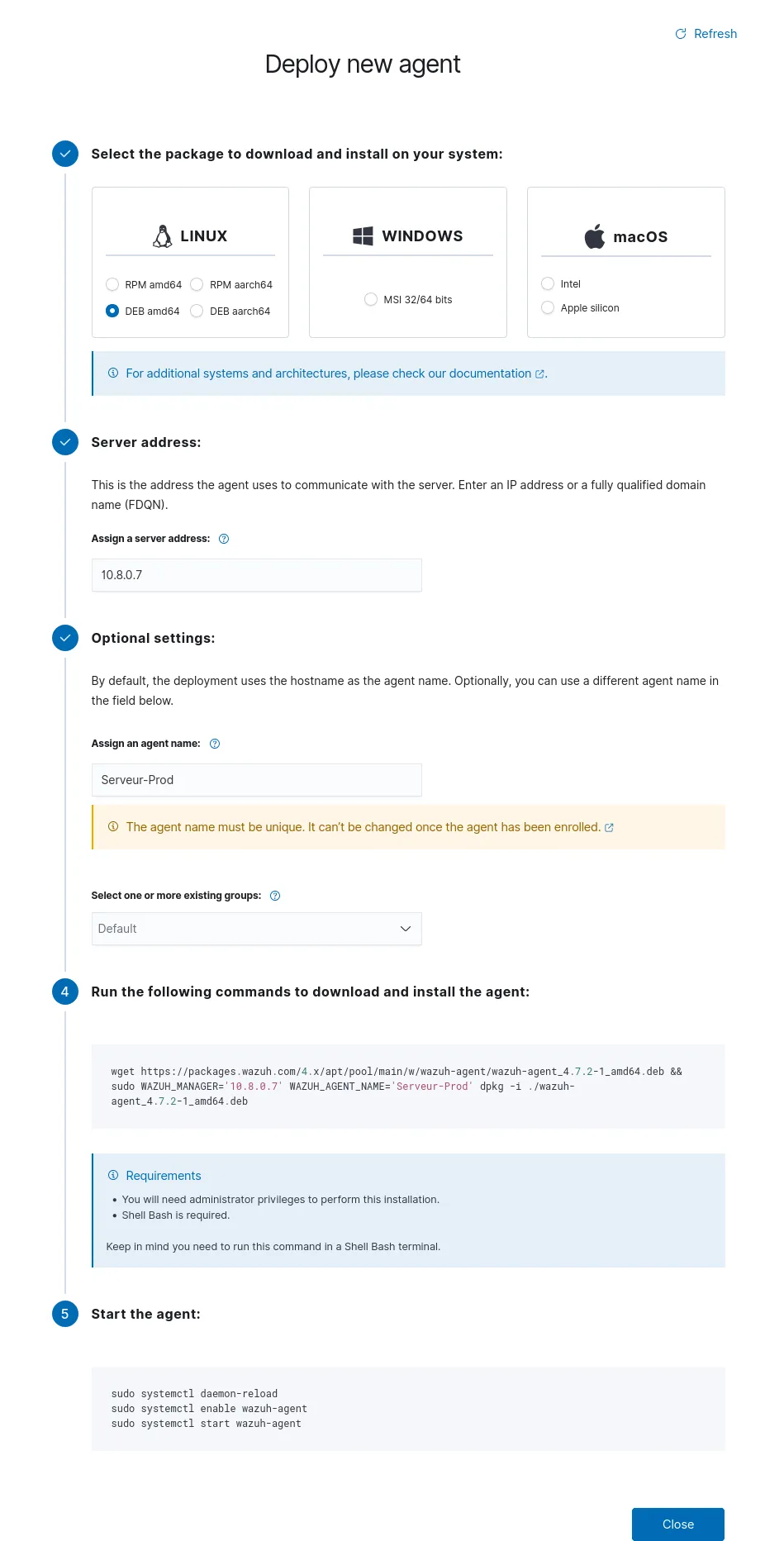
The subtlety here is to force the agent to ignore the public IP of the manager. During the installation, I specified the WAZUH_MANAGER variable with the IP of the VPN tunnel. This ensures that the logs only transit in an encrypted manner inside the VPN.
5. Supervision and Results
As soon as the installation was complete, the agents connected to the manager via the secure interface. The central dashboard now allows us to view the security status of the entire infrastructure in real time.
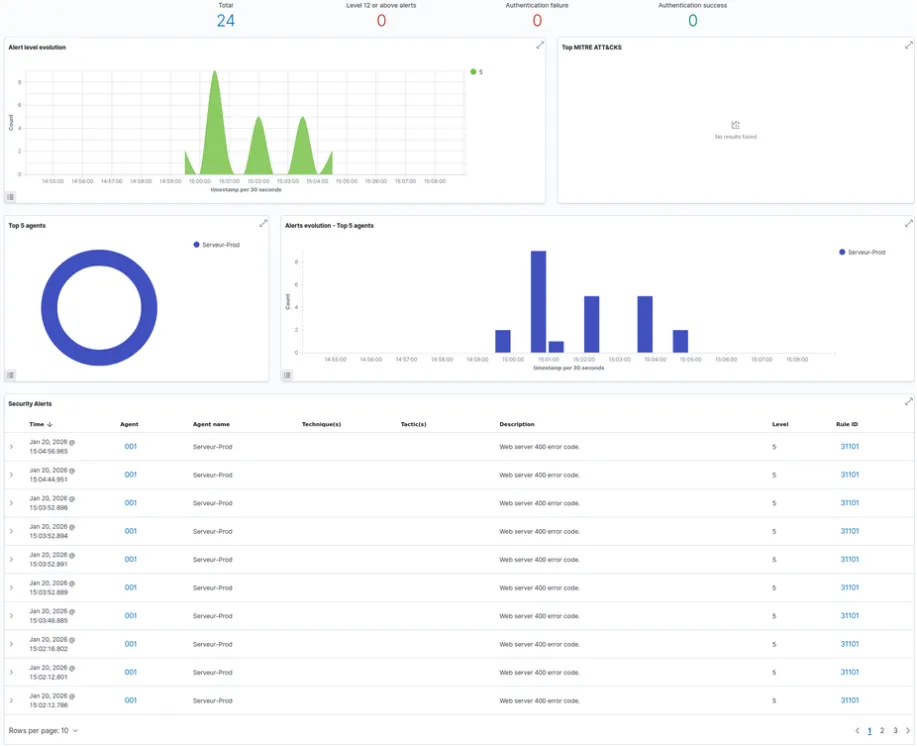
To validate the functioning of the detection rules, we simulated suspicious activities, including a vulnerability scan (via the Nikto tool). Wazuh correctly analyzed the web access logs and raised a corresponding security alert.